Chaturbate Auto Refill and Fan Clubs: Two Separate Renewal Checks
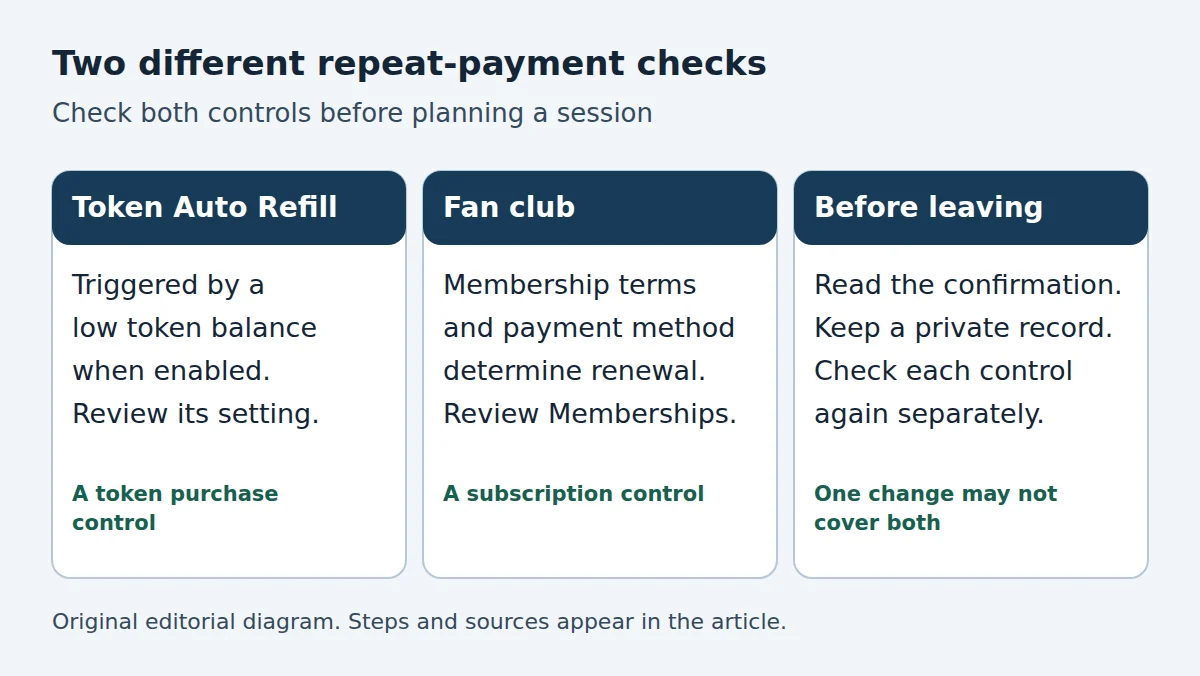
Chaturbate Auto Refill and fan club membership are different controls. Review the token-purchase setting and your memberships separately before planning a spending limit. A change to one does not establish the state of the other.
By the chaturbate.camera Editorial Team. Independent consumer guidance for adults 18+; this website does not operate Chaturbate or manage its accounts.
Before the late-November shopping weekend, it is useful to check which account actions can lead to another payment. This guide does not announce a sale or recommend buying a package. It uses current official help pages to separate two easily confused decisions, then offers a worksheet you can complete without making a purchase.
What Auto Refill does
Chaturbate’s official token-purchase guide describes Auto Refill as optional and available for credit-card purchases. When enabled, a low token balance can trigger another purchase using the selected settings. The help page says it can be turned on or off in settings. Check the live setting and the displayed purchase amount in your own account rather than inferring them from a previous receipt.
The useful planning question is: “Can spending down this balance cause another token purchase?” That is different from asking how long your current balance might last. A balance figure describes credits available now; an enabled purchase control can affect what happens later.
What to check for a fan club
A fan club is a membership associated with a broadcaster. The provider’s membership help page directs members to My Profile, then Memberships, for cancellation. Start from the genuine signed-in website and inspect the relevant membership entry. Do not assume that closing a room, logging out or changing a browser permission cancels it.
Payment method also matters when reading the terms. The official fan-club price-change explanation distinguishes credit-card billing from token renewal. It describes different treatment when a broadcaster changes their price, and says rejoining after cancellation uses the current price. Check the account’s current offer and confirmation before deciding; this article supplies no universal membership price.
A two-control worksheet
Use a private note containing only what you need to make the decision. Do not copy a card number, password or authentication code into it. A short record of the control and the outcome is enough.
| Check | Token Auto Refill | Fan club membership |
|---|---|---|
| What is the decision? | Whether a balance-triggered token purchase is enabled. | Whether you want to keep the individual membership. |
| Where do I look? | The token purchase and Auto Refill settings. | The provider’s Memberships area. |
| What do I record? | Current state and the amount shown in the setting. | Relevant membership, payment method and stated renewal details. |
| After a change | Reopen the setting and confirm its displayed state. | Read the confirmation and current membership entry. |
The worksheet is an editorial checking method, not a representation of the provider’s interface. Labels and availability can change. If a row remains unclear, leave it marked “not confirmed” and ask official support before relying on it.
Why “I only want to use the remaining balance” needs another check
Imagine an adult visitor decides to use existing credits and make no further purchases. That is an intention, not an account setting. The visitor should first inspect Auto Refill, then review memberships independently. This example contains no actual account data and does not assume either control is enabled by default.
Now imagine a different visitor wants to keep one membership while avoiding automatic token top-ups. The same worksheet still works: record the desired result for each column and verify each separately. A single “done” note can hide which action was actually checked.
After completing the account review, read the current room request before selecting a paid action. A purchase setting, a membership and a room’s charging terms answer different questions. Our tip-menu guide explains why a menu should be read before spending; this article adds the account-level controls to that routine.
If a change is unclear
- Read the actual confirmation rather than relying only on a button label.
- Return to the relevant account area and check the state shown there.
- Keep the date and a minimal confirmation reference privately if one is supplied.
- Use the support route from the genuine provider website when the result is unclear. Describe which control you changed and what you expected to happen.
Do not share a login, authentication code or full payment statement with a person who claims they can fix the account in chat. This website cannot cancel a provider membership or investigate a charge. For a checkout problem, start with our payment troubleshooting guide and the provider’s official support. Avoid repeated purchases merely to test whether a setting changed.
Source dates and limits
The official pages above were checked on 20 November 2026. The token-purchase page displays a March 2026 update; the two membership pages display October 2024 updates. They support a current practical account review, not a newly announced November feature or a measured search trend. Your live account, offer and confirmation remain necessary for account-specific decisions.